Tabler v1.5 Is Here! 🚀 The Biggest Release Yet
Tabler 1.5 is out — the biggest release we’ve done, with more than 250 changes across the framework, the demo, and the docs. The sidebar folds, cards can wear gradients, backgrounds get patterns, charts pick up seven new types, and the demo gains two new dashboards.
Since Tabler 1.0, every release has added pieces. 1.5 is the one that changes how you build with Tabler. The navigation can fold out of the way. Layout, color scheme, and sidebar behavior live in one Customize panel. Charts, cards, and backgrounds have a lot more range. And Bootstrap 5.3.8 now ships inside @tabler/core, so the framework is one package instead of two.
The full changelog lists every commit. This post is the tour.
Folded sidebar
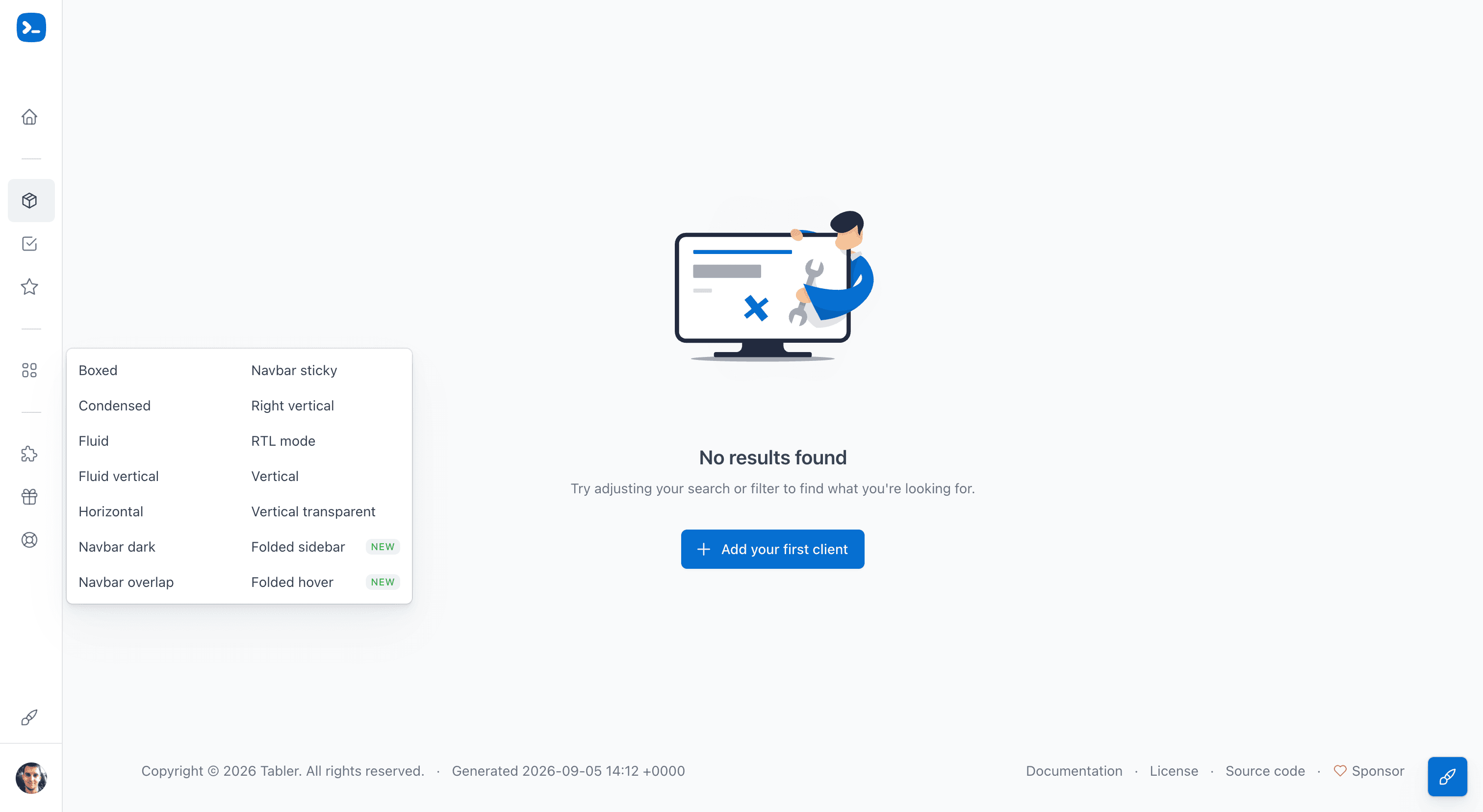
Dashboards need a wide canvas more often than they need a wide menu. The vertical sidebar can now collapse to a narrow strip of icons with navbar-folded. Add navbar-folded-hover and it stays folded until you point at it. Submenus open as flyouts next to the icon, and a pin toggle keeps it open when you want the full labels back.
Two details make the folded state feel finished rather than cramped:
- Section titles (
nav-section-title) become short separators, so groups don’t disappear. - A new
navbar-footerholds the user block. The menu scrolls between a pinned brand at the top and a pinned footer at the bottom.
The sidebar is also light and 16rem wide by default.
Layout settings, not just light and dark
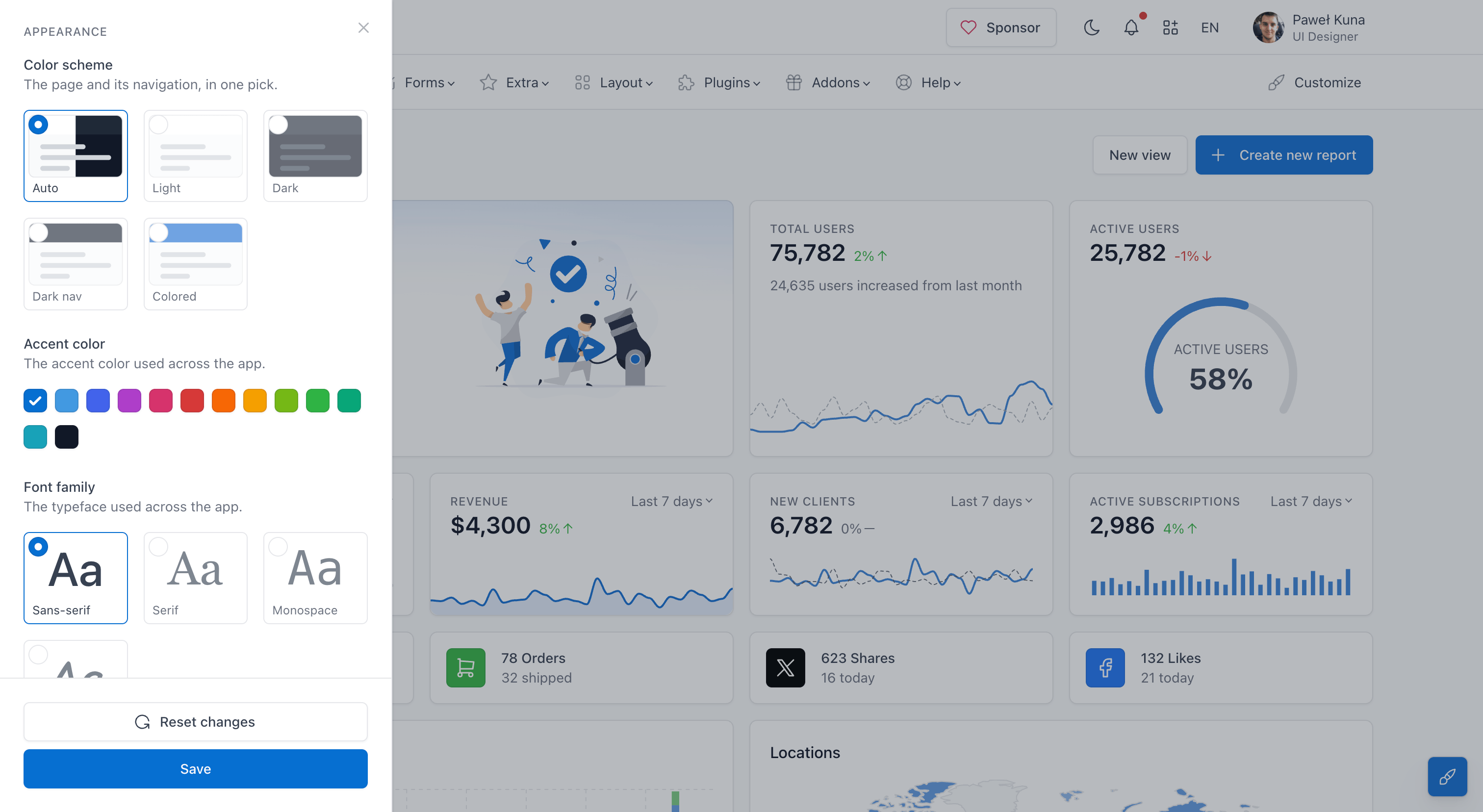
The theme panel used to switch color schemes. It now switches the layout as well, through attributes you can set on <html> yourself:
data-bs-layout— container width:default,fluid, orboxeddata-bs-navbar-position— vertical or horizontal navigationdata-bs-navbar— sticky top bardata-bs-navbar-theme— color the navigationdarkorprimarydata-bs-sidebar— folded sidebar behavior
The panel itself was rebuilt around those options: an illustrated intro, color scheme presets, and thumbnail tiles for most settings. A Customize entry in the sidebar footer and in the navbar opens it, so every demo page can try a different shell without a separate layout page.
Gradient cards
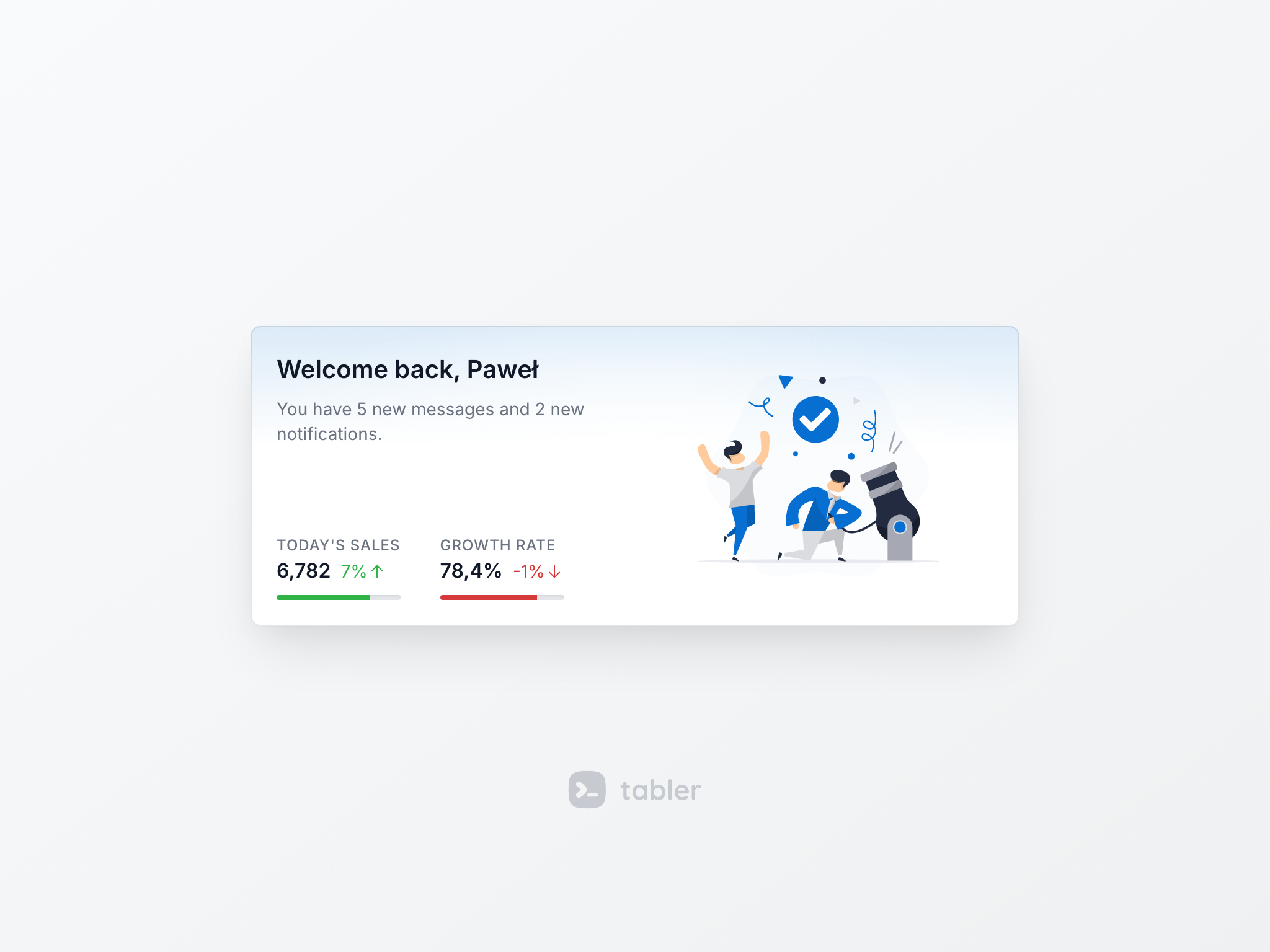
.card-gradient gives a card a gradient background. There are variants for each theme color, direction modifiers, and an animated version for when you want the fill to move.
The gradient stops are plain utilities, so they aren’t locked to cards. .bg-gradient-from-*, -via-*, and -to-* now also take transparent and -inverted. The demo has a new Card gradients page with the combinations.
A few related extras landed in the same pass: .btn-ghost for a transparent button with a hover fill, Progress Steps for step-by-step flows, larger .progress-lg / .progress-xl sizes, and bg-blur when you need a frosted surface.
Background patterns
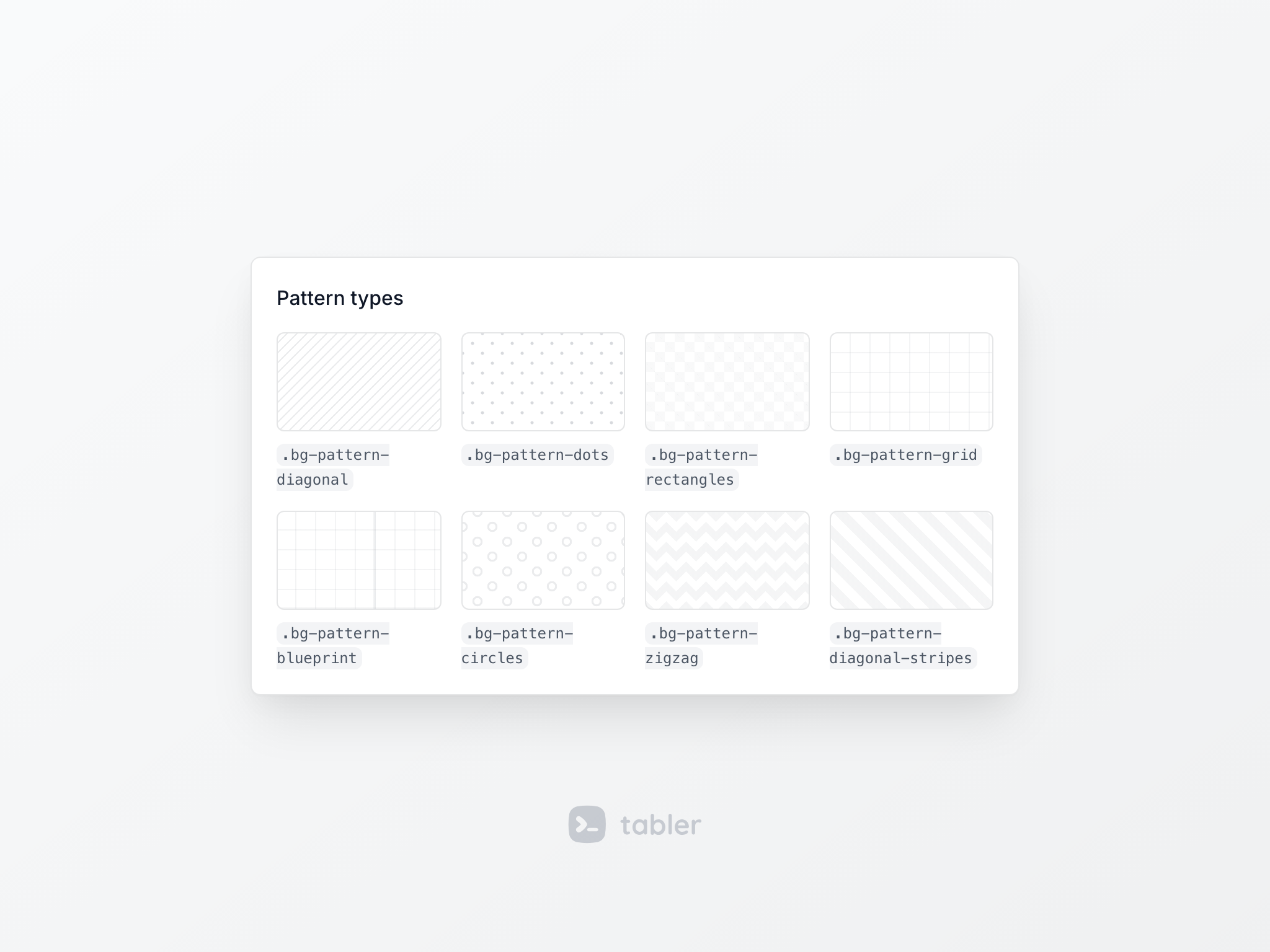
Empty surfaces can stay empty, or they can pick up a pattern. Dots, grids, stripes, and a few more ship as .bg-pattern-* utilities.
Opacity is adjustable in two places: --tblr-pattern-opacity-factor scales it globally, and .bg-pattern-opacity-* sets it per element. Use a light grid behind a dashboard, or a denser texture on a hero — without extra image assets.
Seven new chart types
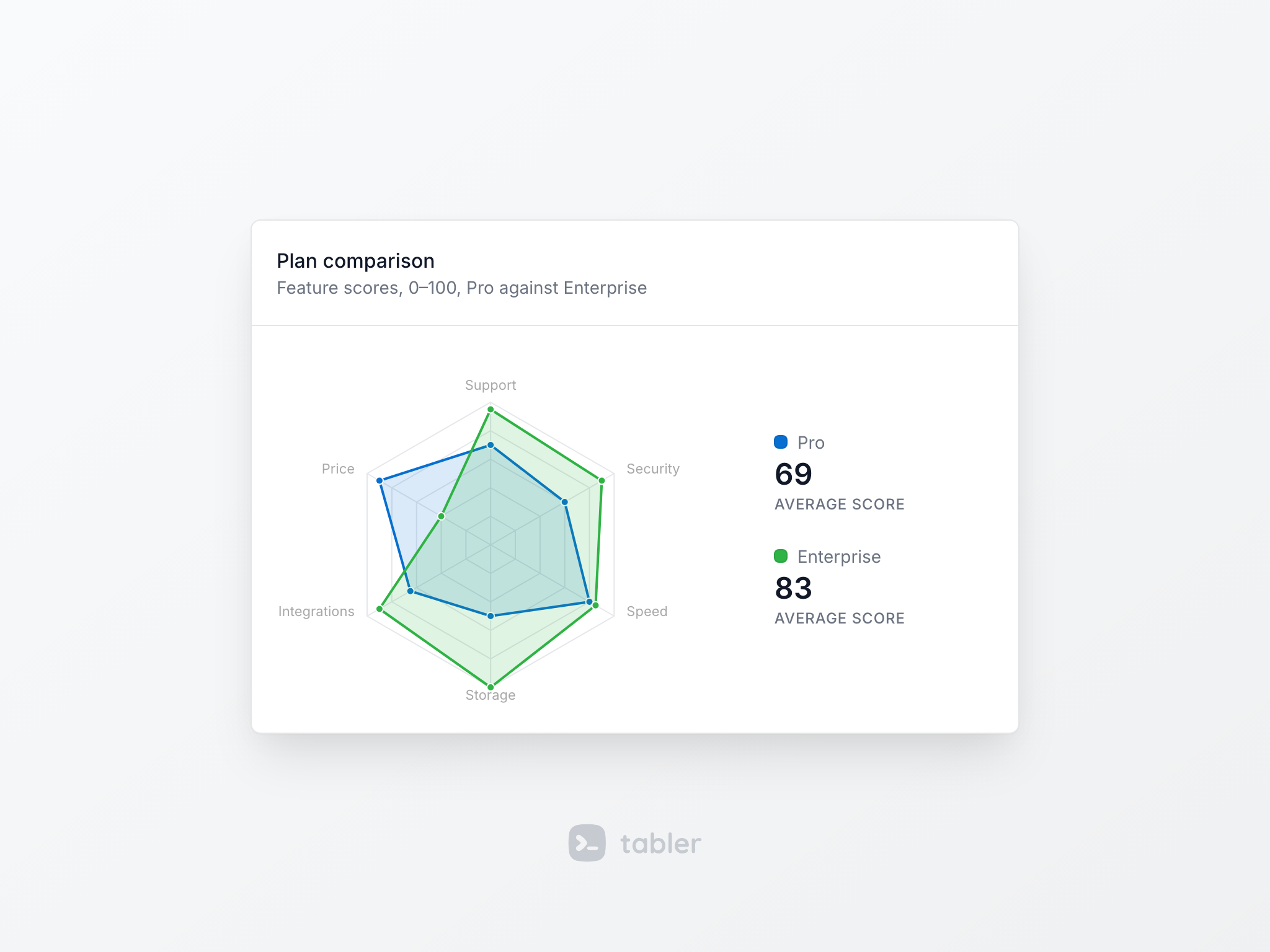
Radar, polar area, treemap, timeline, box plot, bubble, and funnel joined the charts preview and the docs. There’s also an Advanced charts page for the harder cases: two y-axes, annotations, a zoom brush, and synced chart groups.
Chart colors are no longer hardcoded per chart. A --tblr-chart-1 through --tblr-chart-5 palette is wired into the ApexCharts theme tokens, so charts follow the current color mode on their own. ApexCharts itself moved from 3.54.1 to 7.0.0.
New dashboards and pages
Two dashboards joined the demo:
- A CRM dashboard built from reusable cards
- A crypto dashboard with a portfolio overview, market data, and order history
Around them: an onboarding page, a task list, a pay page, and four new modals — change password, confirm delete, edit profile, and new task. There’s also a Tour page powered by Driver.js, a language selector in the navbar, and an All Elements page that puts every UI piece on one screen.
A sturdier core
A lot of the smaller 1.5 changes come from moving Bootstrap into Tabler. Bootstrap 5.3.8 now lives in the source tree as Sass modules and TypeScript components, so @tabler/core no longer depends on the Bootstrap package.
Along the way:
- The npm package ships TypeScript declarations, so
import { Modal } from "@tabler/core"is typed. - The default color mode is
autoand follows the system setting. - Tabler no longer bundles a web font. The default stack is the system one, so nothing extra gets downloaded.
- Components accept
data-tblr-*attributes next todata-bs-*. - The build moved from Rollup to Vite, with the same UMD and ESM output.
- RTL works with plain
tabler.cssthrough logical properties. - The supported browsers are now Chrome 123, Firefox 128, and Safari 17.5 — what the CSS actually needs.
- The Turbo integration is gone, along with unused Sass variables.
The preview and docs sites now build with Astro instead of Eleventy. The docs gained framework guides (Laravel, React, Next.js, Vue, Angular, Nuxt, Symfony, Django, Rails, SvelteKit, Astro), an accessibility section on every UI page, and llms.txt / markdown mirrors for people — and tools — that want the docs as text.
Upgrading from 1.4
1.5 has breaking changes. Class names such as .badges-list and .tags-list became .badge-list and .tag-list (the old names stay as deprecated aliases). Sass is on the module system (@use / @forward). The $prefix variable is gone. Fonts, the default theme, and the Bootstrap dependency all changed.
Every breaking change is in the Upgrade to 1.5 guide, with a before and after example for each one. The changelog has the full commit list if you want to see everything that moved.
Install it with:
npm install @tabler/core@latest
Get started with Tabler v1.5
Ready to try it? Open the preview, read the upgrade guide, or download the package.
We’d love to see what you build with this one. 🚀