🔐 Tabler Illustrations v1.15 – Security, Reliability & Everyday Tasks
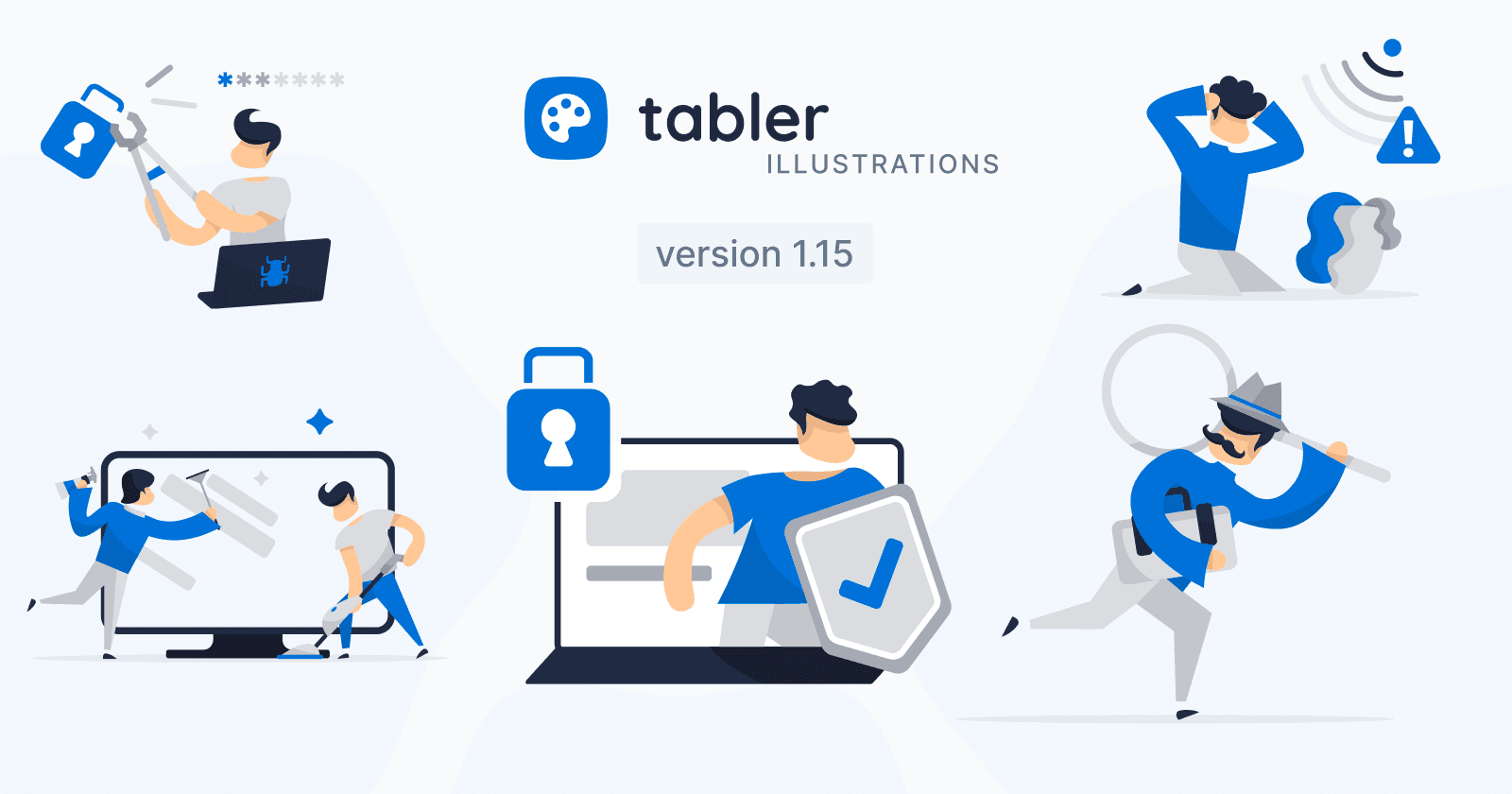
Tabler Illustrations v1.15 adds five new graphics for security, reliability, and everyday product experiences: Cleaning, Detective, Device Security, Hacker, and No Connection.
Every product has moments when something needs attention — a system goes offline, a security check is required, or a problem needs investigating. 🔐 Tabler Illustrations v1.15 adds five new scenes designed for those everyday reliability, maintenance, and cybersecurity experiences.
🛡️ 5 New Illustrations for Security, Support & Reliability
From keeping interfaces tidy to helping users through connectivity issues, these additions make technical and operational messages easier to understand:
Cleaning

Two people clean a large screen together, turning maintenance into a clear and approachable visual. Use it for housekeeping features, system cleanup, hygiene guidance, scheduled maintenance, or any experience that encourages users to keep things organized.
Detective

A detective moves forward with a magnifying glass and a case in hand, ready to uncover the next clue. It is a natural fit for search and discovery, troubleshooting guides, audits, investigations, and product flows focused on finding answers.
Device Security

A protected device, lock, and confirmation shield communicate safety at a glance. This scene works well for security settings, privacy controls, compliance pages, account protection, and reassuring safe-by-default messaging.
Hacker

A figure uses tools to break through a lock while a laptop displays a security threat. Use this illustration for cybersecurity education, threat awareness, incident response, password guidance, and training materials that need to explain digital risk clearly.
No Connection

A frustrated user sits beneath a disconnected Wi-Fi signal and warning symbol. Perfect for offline states, network errors, retry screens, service interruptions, and troubleshooting flows where a friendly visual can make a frustrating moment feel more manageable.