A good survey can do a lot for a company. It tells you what to fix in your brand, your products and your services, which feeds straight into customer satisfaction and into how you market. It also gives clients an easy way to say what they think, including whatever is spoiling their experience for them. All of that only works if the survey is designed with some care. A short survey built around what your company actually needs to know can tell you things you would never have guessed. Here are some practices worth following when you send one by email.
Best practices
Getting somebody to finish a survey comes down to how it’s put together and how it reaches them. Planning and question clarity both feed into how good the answers turn out to be. Here’s what helps:
1. Invest in planning
A good survey starts with planning. Time spent making it look decent and easy to work through gets you more completions and more reliable answers. Use bright colors that match your brand, and put your logo on it so it looks like it came from you. Then think about which survey format actually suits your company.
2. Be clear and concise
Clear, short questions avoid confusion and get you more accurate answers. Keep them specific and brief, and lean on options people can simply pick from. Open-ended questions can tell you a lot, but people are generally more willing to finish a short set of closed ones, so put an optional feedback box at the end for anyone who wants to say more.
3. Space out your surveys
Send surveys too often and people get tired of them and start ignoring the next one. Timing matters here, and monthly is usually enough. Try not to keep sending requests to users who never responded before, since that comes across as pushy. Sensible scheduling is what makes a survey feel timely rather than like more noise.
4. Make the data easy to analyze
Design the survey so the results are easy to work with. Responses you can read at a glance help you spot what needs fixing, and they keep respondents from wearing out on long, complicated questions. Structure the questions well and you end up with something you can act on, without burying anyone in text.
5. Limit responses to one per question
Asking people to pick a single answer per question tends to give you clearer results. It nudges them to think about the choice, either answering straight away or weighing the options first.
6. Consider pairing with newsletters
Sending a survey alongside your newsletter can lift response rates, and it tells you something about how interested people are in your content. You can also use it to test whether people are more likely to fill in a survey inside your regular emails or in one of its own.
The advantages of surveys
Surveys get good response rates and they’re easy to automate. They’re a convenient way to check how satisfied customers are, often without adding any code to your website. They’re flexible too, so you can invite people to a longer survey on your site when you need to.
Top questions about surveys
Questions like “Are you happy with our services?” or “Will you recommend our services to a friend?” are used everywhere and give you specific results. It’s worth trying something more engaging as well, like putting the questions in a quiz format with images or GIFs as the answer options. That makes the whole thing interactive, and more enjoyable to fill in.
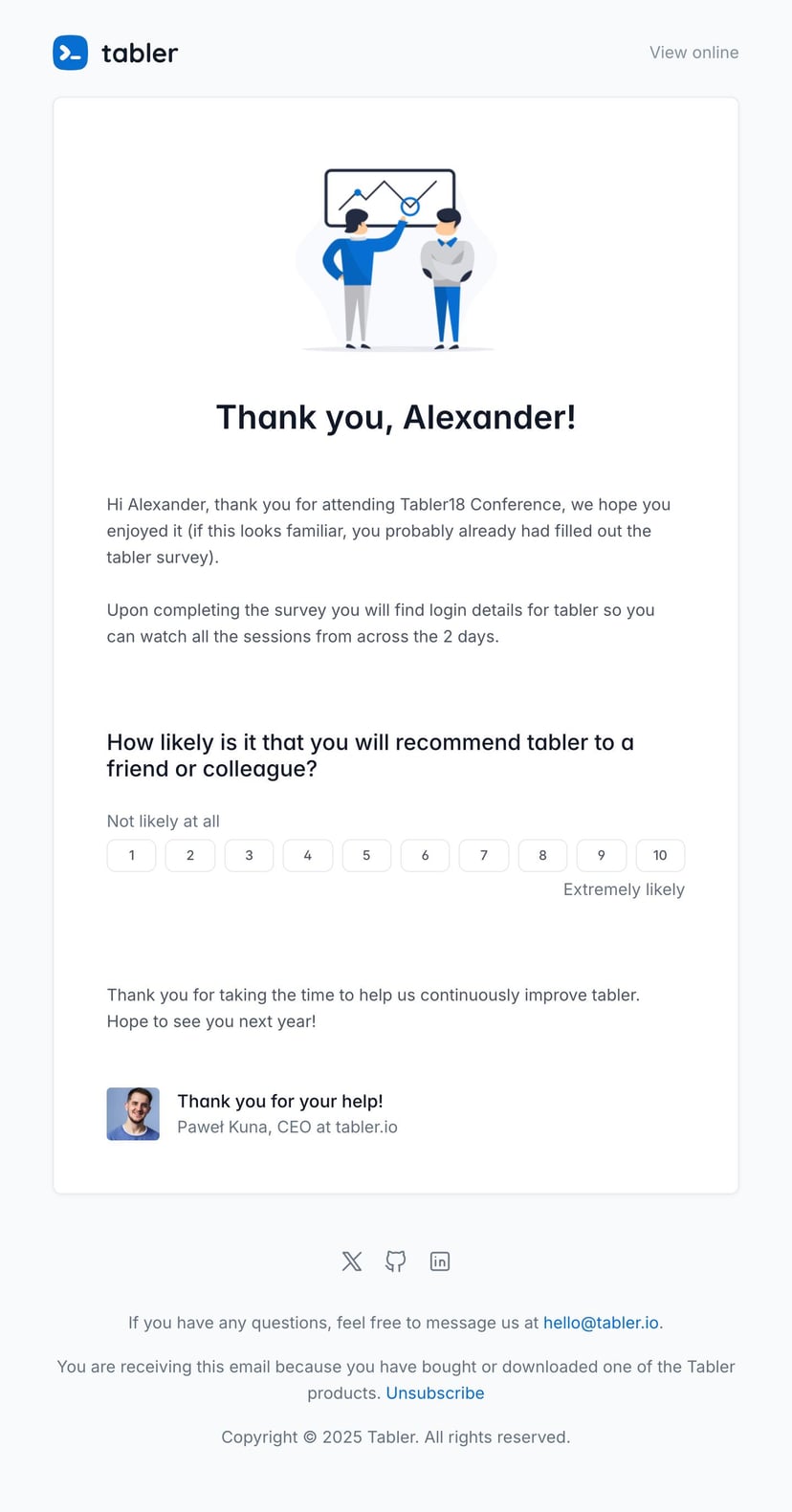
Email is still a popular and efficient way to get a survey in front of clients. If your company doesn’t have email templates yet, take a look at Tabler Emails, where you’ll find over 80 responsive templates.