🔔 Tabler Illustrations v1.18 – App States
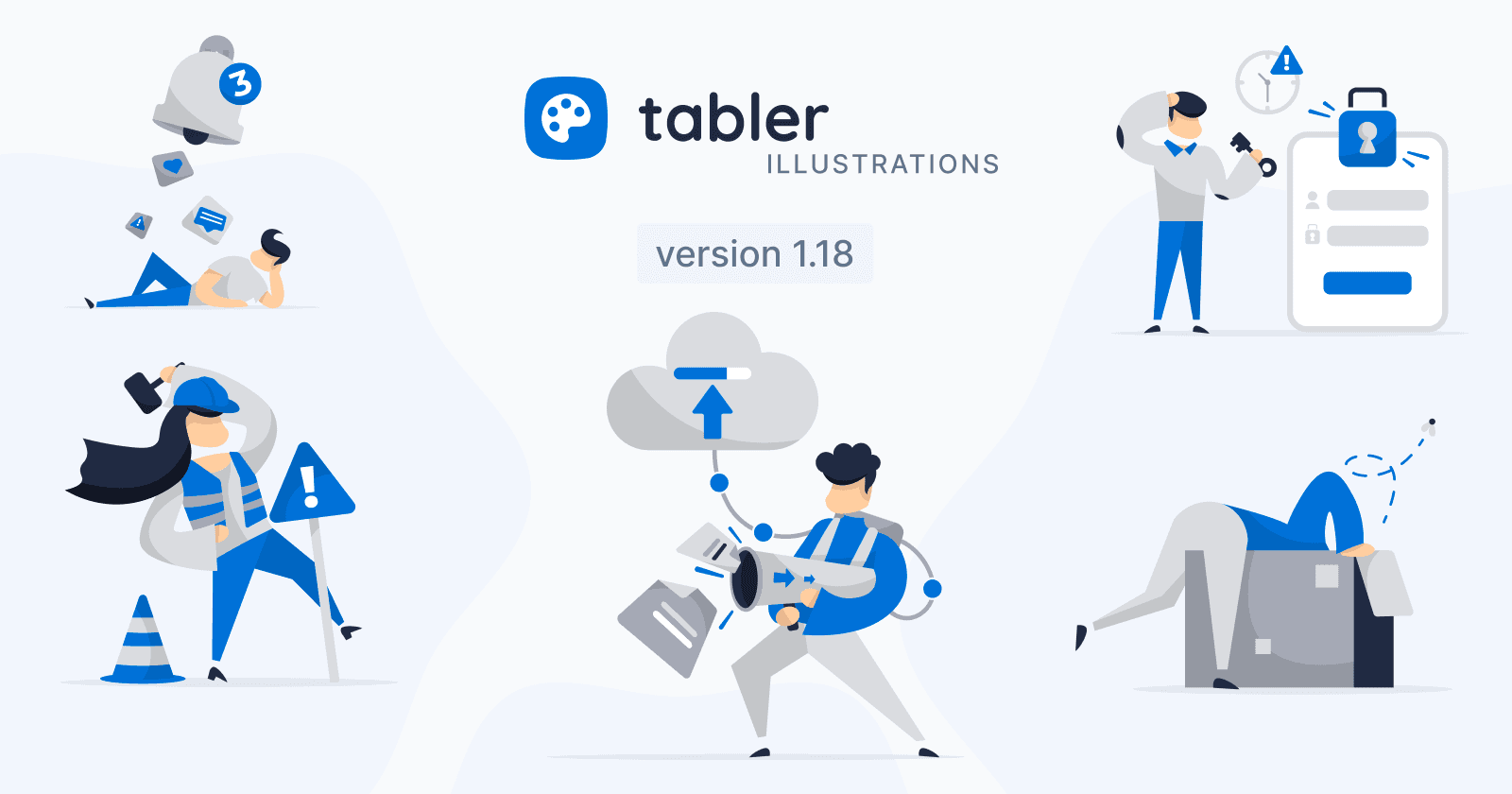
Tabler Illustrations v1.18 adds five new graphics for everyday product states: Empty State, Maintenance, Notifications, Session Expired, and Upload.
Most screens in an app are not the happy path. Lists start empty, servers go down for repairs, sessions time out, and files need somewhere to go. 🔔 Tabler Illustrations v1.18 adds five new app-state scenes so those moments look as considered as the rest of your product.
🧩 5 New Illustrations for Everyday App States
From an empty inbox to a finished upload, these additions cover the screens users see between the main flows:
Empty State

A person dives head first into a big open cardboard box, with only their legs sticking out. Use it for empty lists, no search results, blank dashboards, and first-run screens with nothing to show yet.
Under Maintenance

A worker in a hard hat and safety vest carries a hammer next to a warning sign and a traffic cone. A good fit for scheduled downtime, maintenance pages, repairs, and “work in progress” notices.
Unread Notifications

A man lies on the floor looking up at a large bell with a badge counter, while message, like, and alert icons fall around him. Use it for notification centers, activity feeds, inbox onboarding, and alert settings.
Session Expired

A confused man holds a key next to a locked login form, with a clock and a warning sign above. It works well for session timeouts, forced re-login screens, expired links, and security prompts.
Cloud Upload

A man sends documents from a handheld device up into a cloud, following a connected path with an upload arrow. Use this scene for file uploads, cloud storage, backups, sync status, and data import flows.